Free Figma plugin · Localization QA

It fits. It's still broken.

LocaleSync measures every text layer against the frame it really sits in, so German, Finnish and Arabic breaks show up in Figma, not in QA.

Coming soon to Figma Community

Join the Pro waitlist
  • Free
  • Runs entirely in Figma
  • Sends no data
Try a locale
Bounds check
Fits
LocaleSync
Overflows 70px

A live demo of what LocaleSync measures in Figma.

German: bounds check fits, LocaleSync finds a 70 pixel overflow.

01 · scan

Find what actually breaks

Measure every text node against its real container, not its own bounds. Hug and fixed nodes are handled differently, because they fail differently.
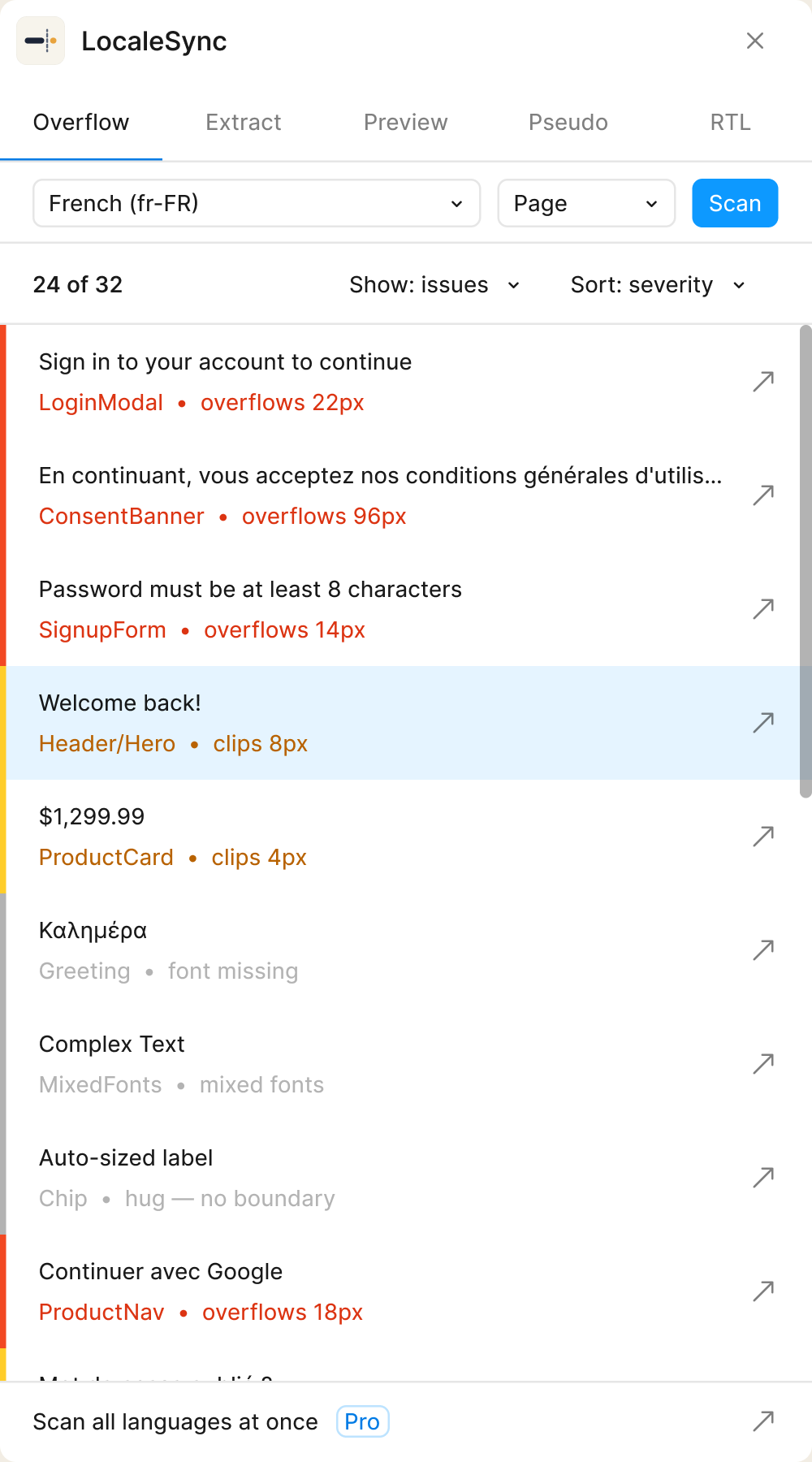
  1. Page or SelectionScan the whole page or just what you've selected, against any target language.
  2. Four verdictsOverflows, Clips, Fits, Un-measurable. Missing fonts are flagged, never guessed.
  3. Show issues, sort by severityFilter the list to what's broken; the ↗ on each row jumps to the layer.
Plugin Shell — Scanning
LocaleSync scan results with text layers classified as overflow, truncate or fit.

02 · in-flight

Results as they land

Rows stream in as breaks are found. Jump to the first one before the scan has even finished.
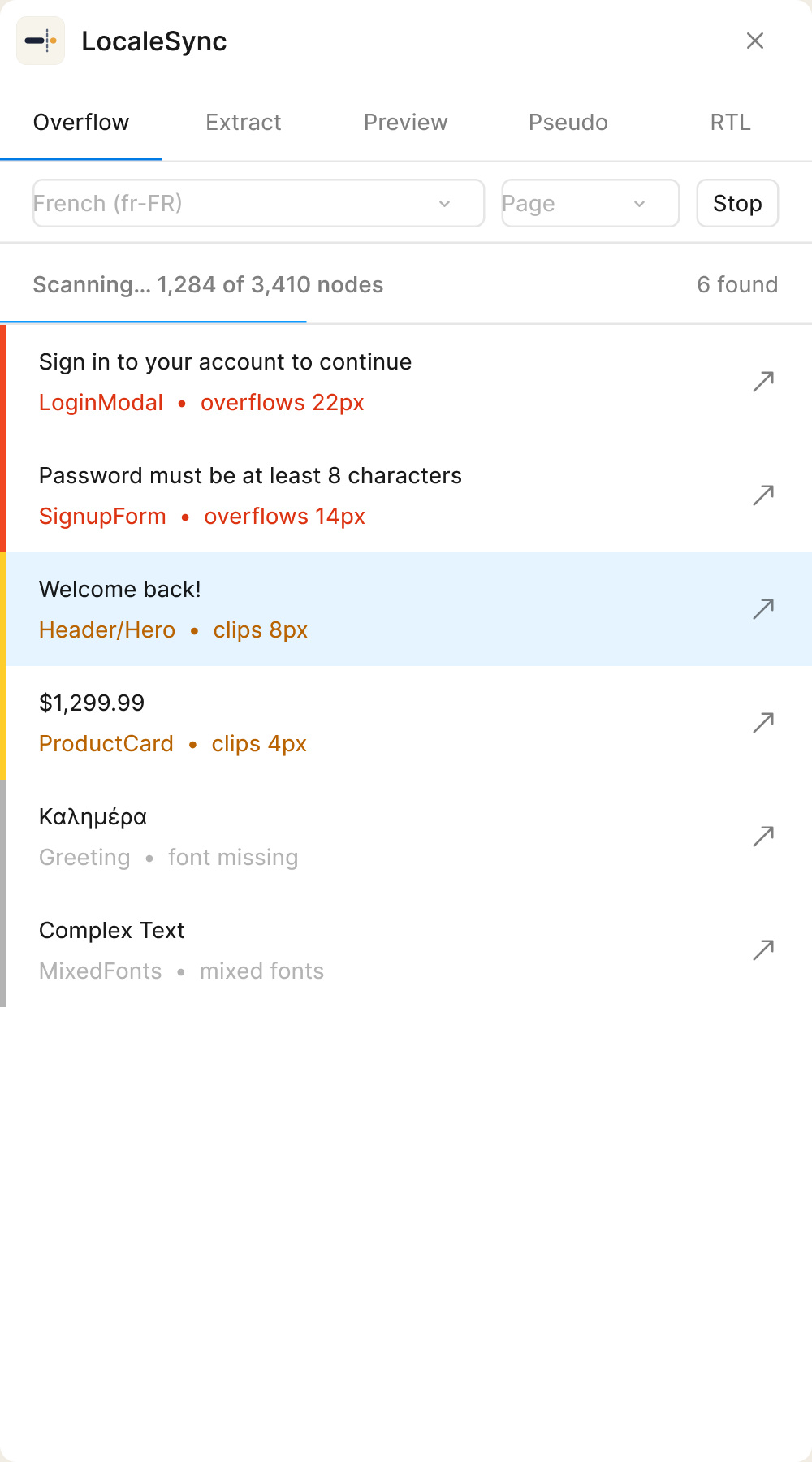
  1. Live progressA running count of breaks found while the scan works through the page.
  2. Stop any timeStop the scan and keep every row it has already found.
  3. Jump mid-scanOpen the first break before the scan has finished.
Plugin Shell — Live results
LocaleSync streaming scan with results appearing while the scan is in progress.

03 · preview

Preview a locale in place

Push a translated string onto the real canvas and see the break where it happens. One click to revert.
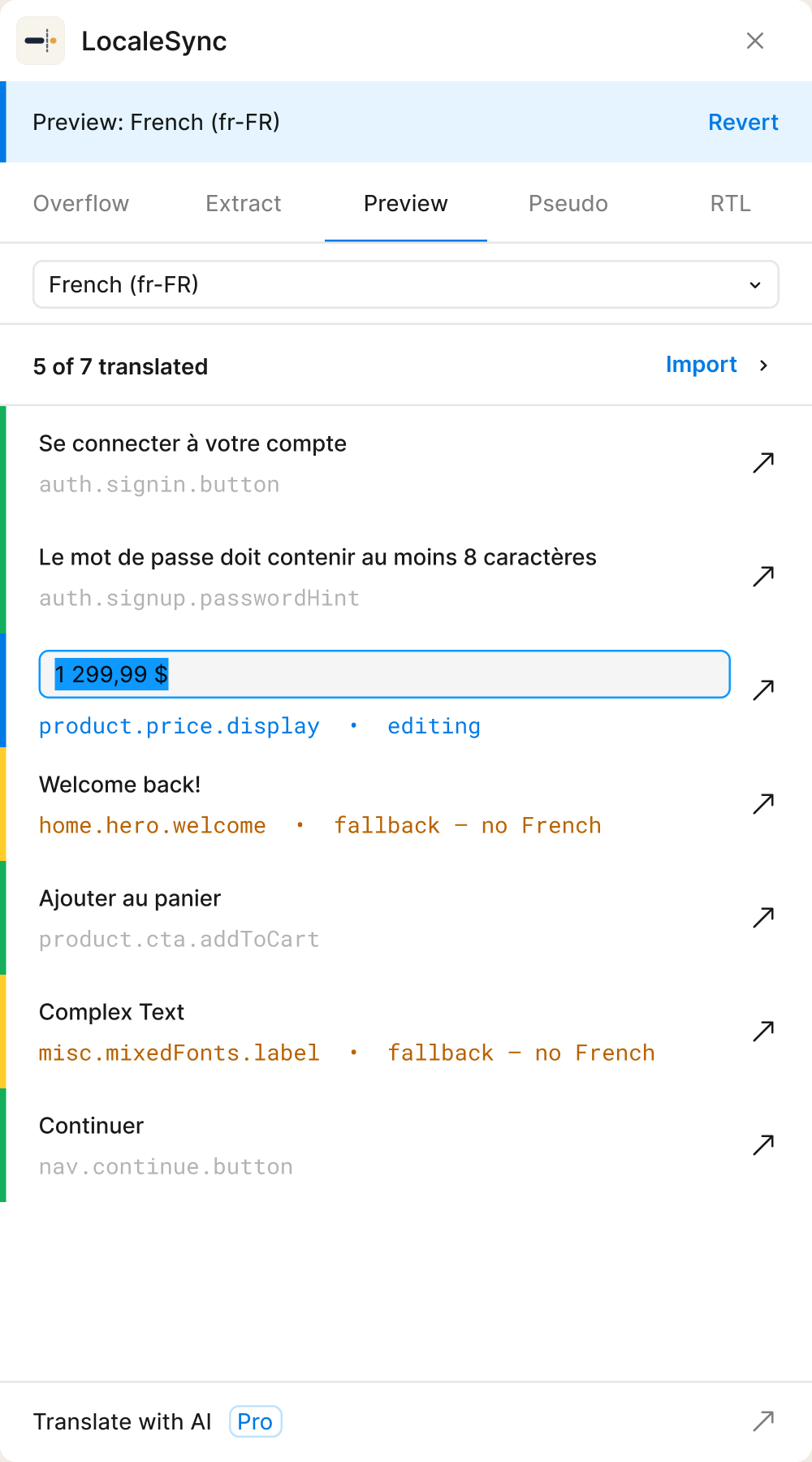
  1. Import JSON or CSVLoad translations for any language code, like de, fr-FR or pt-BR.
  2. "5 of 7 translated"Layers without a translation keep their source text and are marked.
  3. Edit in place, revert in one clickDouble-click a row to edit its translation. Cmd-Z undoes the preview in one step.
Plugin Shell — Locale preview
LocaleSync locale preview controls for applying translations to the Figma canvas.

04 · pseudo-loc

Pseudo-localize before you translate

Catch layout fragility with expanded pseudo-strings, long before real translations arrive.
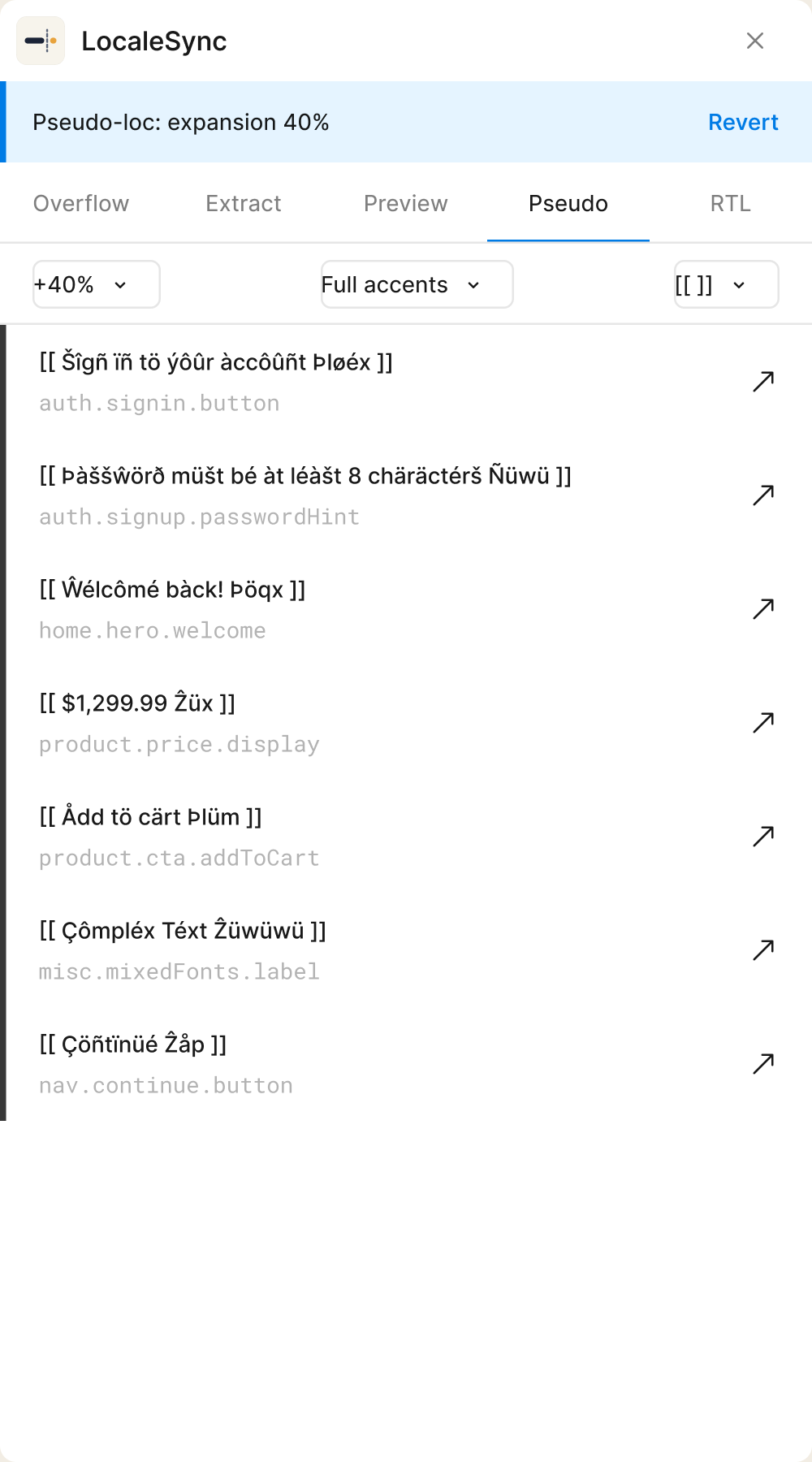
  1. +30%, +40% or +50%Pick how much longer every string gets.
  2. Accents and markersNo, partial or full accents; [ ] or [[ ]] markers around each string.
  3. Exact revertRevert restores every layer's original text.
Plugin Shell — Pseudo-localization
LocaleSync pseudo-localization settings with text expansion and accented strings.

05 · rtl

Mirror to RTL

Flip the layout and re-measure. Same apply and revert pattern as every other canvas action.
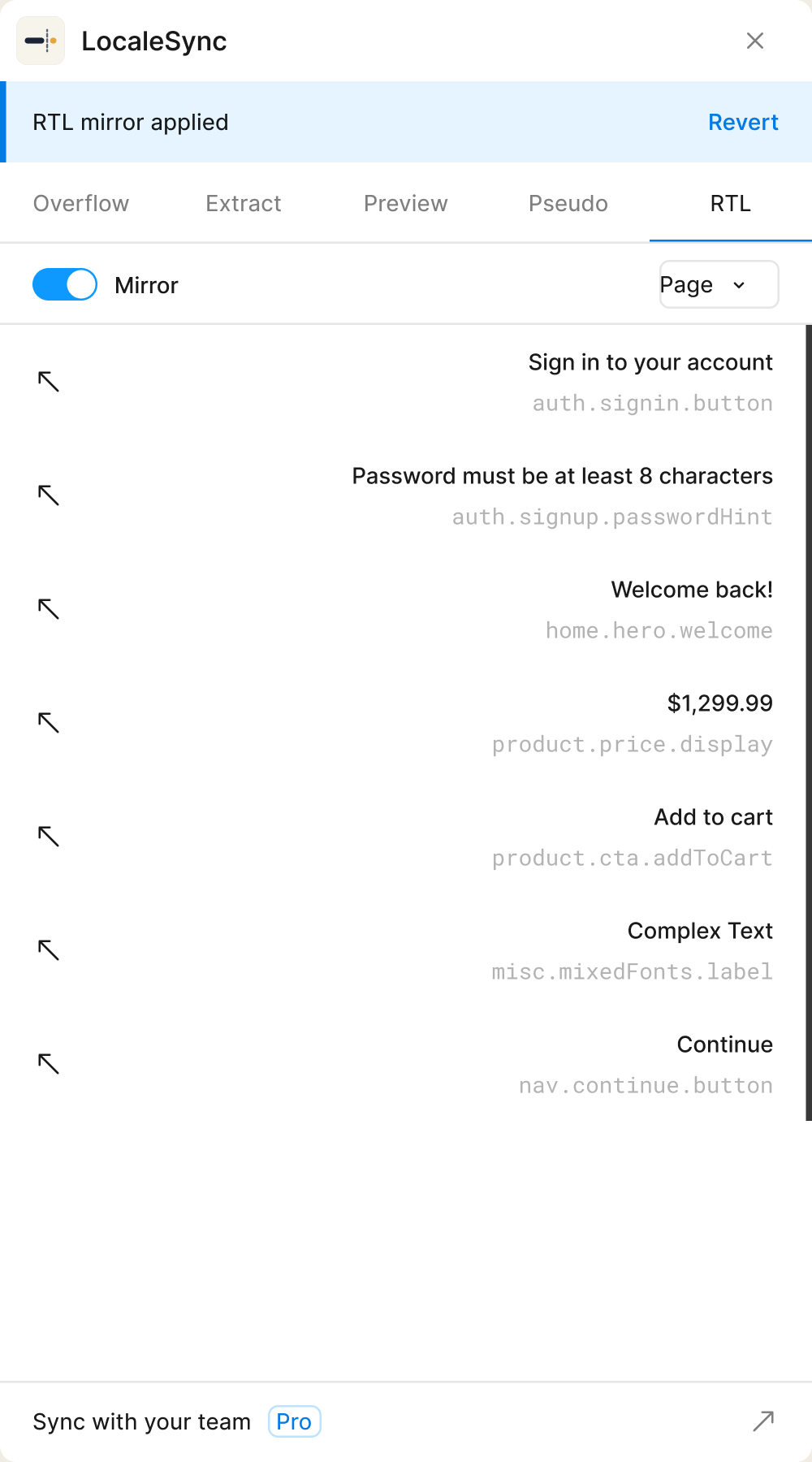
  1. One switchMirror the page or a selection, and switch it off to revert.
  2. Skipped layers are listedLayers inside instances or with missing fonts are skipped and listed, never forced.
  3. Moved icons are flaggedIcons and vectors that move in the mirror are flagged for a second look.
Plugin Shell — RTL mirror
LocaleSync right-to-left mirroring controls with apply and revert actions.

06 · extract

Extract every string

Pull a clean list of strings with i18n keys, ready to hand to whoever does the translating.
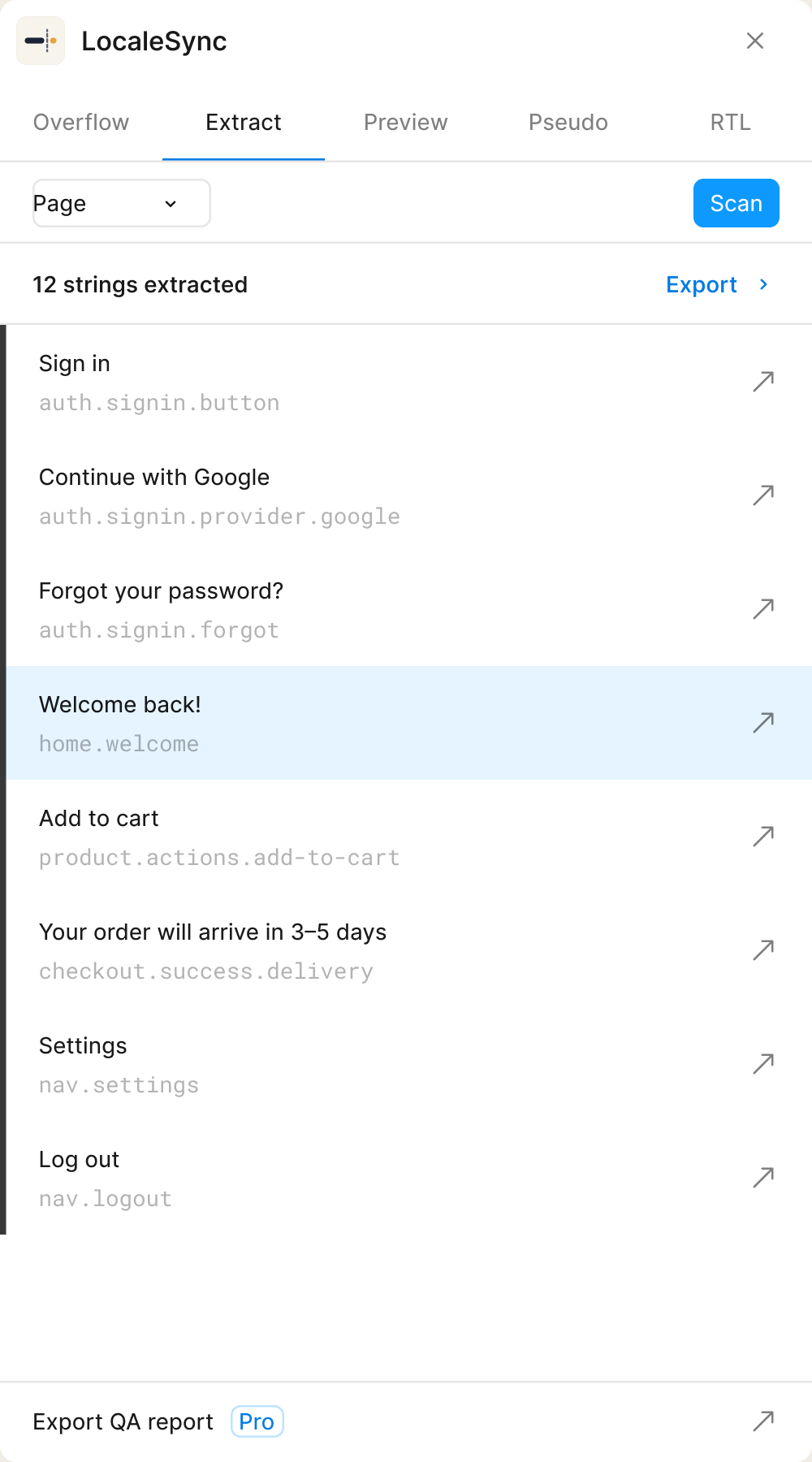
  1. Keys from layer structureEach string gets an i18n key built from where it sits, like auth.signin.button.
  2. Repeated strings groupedIdentical strings are grouped with a count, like 21×.
  3. Jump to any layerThe ↗ on each row selects the layer on the canvas.
Plugin Shell — String extraction
LocaleSync extracted strings and their localization keys.

07 · export

Export what you found

Send the string list out with its keys, ready for whoever does the translating. Exportable QA reports are Pro.
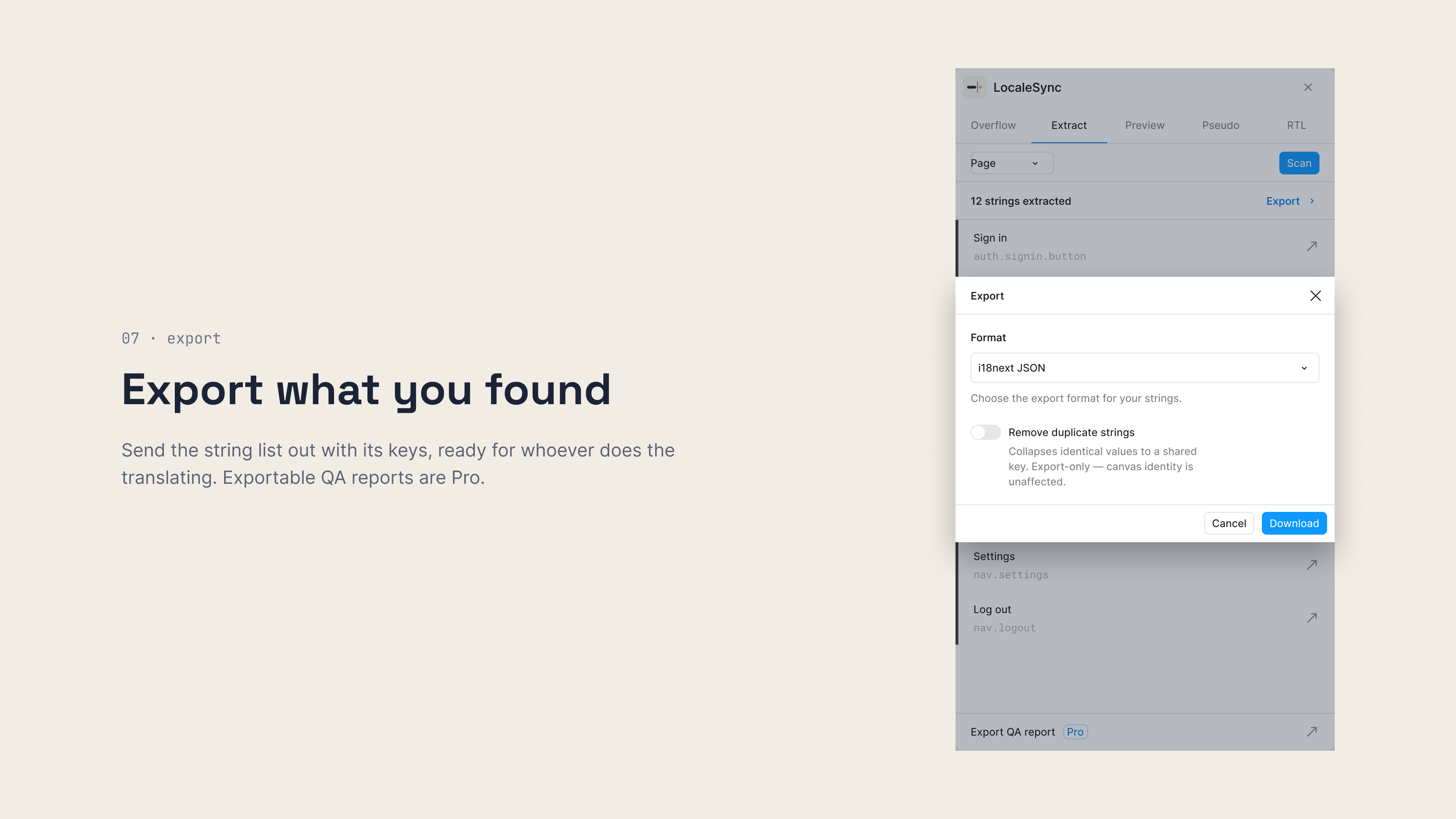
  1. Three formatsJSON, iOS Localizable.strings or Android strings.xml.
  2. Optional de-duplicationMerge identical strings into one key before you export.
  3. Changed keys are reportedWhen a key has to change for Android, the export tells you which.
Plugin Shell — Export
LocaleSync export modal over the plugin, with JSON, iOS and Android string formats.

Nothing leaves Figma.

Price
FreeThe plugin is free to use.
Runs
Inside FigmaNo account, no server.
Network access
NoneThe plugin can't send data anywhere. From its manifest:"allowedDomains": ["none"]
Exports
JSON, iOS, AndroidJSON, Localizable.strings and strings.xml, with keys.

Coming soon

Coming in Pro

Pro adds the four features below. Join the list and we'll email you when it's ready.

Join the Pro waitlist

Scan all languages at once

Run the overflow scan across every locale in one pass, and see which layers break in which language.

Export QA report

Turn what the scan found into a report you can share outside Figma.

Translate with AI

Get translations written to fit the space they have, so the text works in the layout before it ships.

Sync with your team

Keep your team working from the same scan results.